Time sits quietly in almost every interface. It appears in dashboards, booking flows, financial apps, and operating systems. Yet the clock is rarely treated as a communication surface. Designers focus on typography and spacing. Engineers focus on synchronization and refresh rates. Writers often step in last. That is a missed opportunity. Every time display carries meaning. It shapes trust, urgency, and clarity in ways that few other components can.
A simple digital clock widget can power a landing page, a SaaS dashboard, or an embedded productivity tool. The numbers look neutral. They are not. The microcopy around them frames how users interpret what they see. Is the time local or global. Is it approximate or precise. Is it live or cached. These small words carry operational weight.
Summary
- Clock components communicate system state and reliability.
- Microcopy clarifies timezone, precision, and synchronization.
- Context aware labels reduce cognitive friction in real time systems.
- Consistent patterns strengthen trust across products.
Clocks as Communication Layers
A clock is never just a clock. It signals whether the system is current. It implies how frequently data updates. It may anchor deadlines, payments, or appointments. A writer’s role is to make these implications explicit without adding clutter. That requires precision.
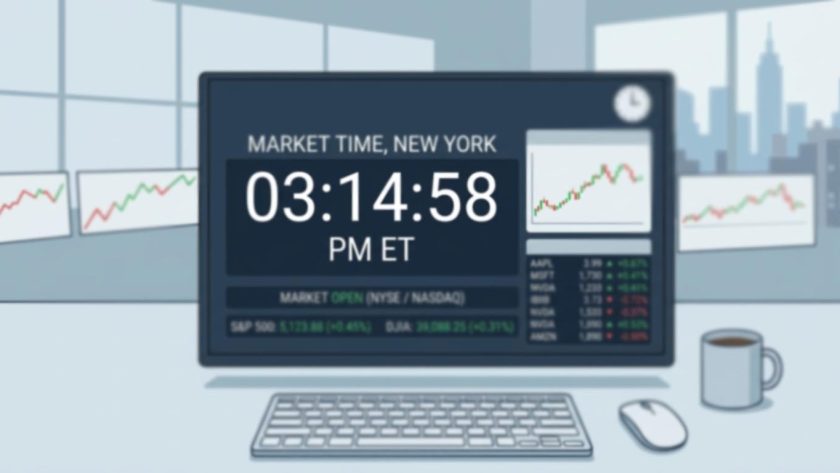
In a trading dashboard, the label next to the time might read “Market time, New York.” In a fitness app, it may read “Workout duration.” Each phrase narrows interpretation. Without that context, users guess. Guessing reduces confidence. Strong microcopy eliminates guessing.
Component based text systems help maintain that clarity across screens. A shared pattern library for time labels can live alongside button and error standards. Teams already document this approach in component text systems. Time elements deserve the same rigor. They appear frequently and affect critical decisions.
Digital, Analog, and Word Based Time
Different time formats require different textual support. A digital clock presents exact numbers. An analog clock relies on visual estimation. A word based display such as “Quarter past three” trades precision for tone. Microcopy adapts accordingly.
Digital formats often need timezone clarity. For example, “14:32 UTC” is concise. “2:32 PM London time” may feel warmer. Choose based on audience expectation. Technical users prefer explicit offsets. Consumer apps may lean conversational.
Analog displays may need supportive tooltips. A hover state that reads “3:15 PM local time” bridges ambiguity. Word based time benefits from guardrails in scheduling contexts. “Tomorrow at noon” can be confusing across regions. Adding “Local time” protects against misinterpretation.
Timezone Language That Builds Trust
Timezone confusion causes missed meetings and failed transactions. Microcopy is the first defense. Labels such as “Your local time” or “Server time” clarify authority. Precision matters. Avoid vague wording like “Current time” if multiple references exist on the same screen.
Designers often ask whether to display GMT, UTC, or city names. The distinction is technical yet meaningful. The UTC standard explains how coordinated universal time functions as a global reference. Writers should understand this baseline. That knowledge informs whether to use offsets like +01:00 or region labels like Europe London.
Consider also daylight saving adjustments. Microcopy such as “Adjusted for daylight saving” prevents confusion during seasonal shifts. Silent changes erode confidence. Explicit notes reinforce transparency.
Five Microcopy Moves for Real Time Interfaces
Real time systems operate under pressure. Users rely on clocks to make fast decisions. The following numbered moves support clarity.
1. State the reference point clearly. Use phrases like “Local time” or “Exchange time.” Avoid assuming the user knows.
2. Signal update frequency. A subtle line reading “Updates every second” or “Synced hourly” shapes expectations.
3. Clarify countdown intent. “Time remaining” differs from “Time elapsed.” Small wording shifts change interpretation.
4. Address latency openly. If data refreshes with delay, say “Data may be delayed by 15 minutes.”
5. Use confirmation language near deadlines. For example, “Submission closes at 5:00 PM local time.”
These moves reduce friction. They also reduce support tickets. Clear clocks lower operational risk.
Microcopy Around Countdowns and Timers
Countdown timers create urgency. They also create anxiety if unclear. Writers must define what happens when the timer reaches zero. Does the offer expire. Does the form lock. Does the session refresh. The label near the timer carries that responsibility.
Short phrases work best. “Offer ends in” feels active. “Time left” is neutral. “Session expires in” signals consequence. Pairing the timer with a short explanatory line builds confidence. For example, “Your cart is reserved for 10 minutes.” That sentence answers a silent question.
Test this language early. Prototypes with interactive time components reveal misunderstandings quickly. Usability work such as testing microcopy in prototypes shows that users often misread countdown intent. Observing that behavior informs revisions before launch.
Designing for Accessibility and Cognitive Load
Time displays must support users with varied abilities. Screen readers interpret digital clocks differently depending on markup. A raw string like 14:05 may be read digit by digit. Adding aria labels such as “2:05 PM” improves comprehension. Writers collaborate with developers to define that spoken output.
Contrast and spacing matter too. Microcopy should avoid cramming qualifiers into tight layouts. If the space is small, prioritize essential context. For instance, “UTC” may suffice in a technical console. A longer explanation can live in a tooltip.
Cognitive load increases when multiple time references compete. Imagine a travel booking page showing departure time, arrival time, and booking deadline. Each requires explicit labeling. Without it, users hesitate. Clear microcopy streamlines decision making.
Comparing Time Contexts in Product Interfaces
The table below outlines common time contexts and the type of microcopy that supports them. Color cues illustrate urgency and precision needs.
| Context | Primary Label | Supporting Microcopy |
|---|---|---|
| Live dashboard | System time | Updates every second |
| Event booking | Local event time | Adjusted for daylight saving |
| Limited offer | Time remaining | Offer expires at zero |
Writing for Edge Cases and Failure States
Clocks can fail. Network interruptions may freeze updates. Server drift may cause discrepancies. Microcopy should prepare for these scenarios. A brief message such as “Time temporarily unavailable” prevents confusion. Silence feels broken. Clear fallback text feels intentional.
Error states deserve tone alignment. A banking app should remain calm. A game interface can be lighter. The phrasing must still convey reliability. Even a short notice like “Reconnecting to time server” reassures users that the system is aware of the issue.
Edge cases also include cross device synchronization. If a mobile app syncs with a desktop dashboard, indicate that relationship. “Synced with your desktop session” reinforces cohesion. Consistency across channels strengthens trust.
Practical Checklist for UX Writers
Before shipping any clock or time component, review the following bullet points.
- Does the label clarify whose time is displayed.
- Is the timezone explicit or implied.
- Are update intervals communicated where relevant.
- Is deadline language precise and consequence aware.
- Have daylight saving and regional variations been considered.
This checklist fits neatly into content handoff processes. Time components may look small, yet they influence major actions. Treat them as first class citizens in the content system.
Aligning Tone With Temporal Context
Not every clock needs the same voice. A meditation app may show “Time to breathe.” A logistics platform may display “Shipment timestamp.” Tone follows context. The numbers remain objective. The surrounding words carry personality.
Seasonal campaigns also affect time language. Holiday sales use more energetic phrasing. Financial tools maintain restraint. Aligning these shifts across components keeps the interface coherent. Consistency builds brand recognition without overwhelming the user.
Precision as a Product Promise
Time signals reliability. If your product shows precise seconds, users assume accurate backend synchronization. If it rounds to minutes, they assume approximation. Microcopy confirms or corrects those assumptions. A phrase like “Approximate time” prevents false expectations.
Writers influence how precision is perceived. Clear qualifiers maintain credibility. Transparent notes about delays or syncing reassure users that the system respects their schedule.
Letting Time Speak Clearly
Clocks are quiet storytellers inside interfaces. They frame urgency, confirm reliability, and guide action. Microcopy turns raw timestamps into understandable signals. It clarifies timezone, frequency, and consequence. It reduces doubt at critical moments.
Thoughtful language around time components strengthens usability. It protects trust. It aligns system behavior with human expectation. The next time a clock appears in your design file, treat it as a message, not decoration. The words you place around it may matter as much as the numbers themselves.